User Tags allow you to group individuals together in your CRM. Once a tag is applied, you can then send mass emails/text to specific groups.
Step 1 - Click People (CRM)
Step 2 - Click View Everyone
Step 3 - Click the tag icon next to the customer you would like to alter tags for.

Step 4 - Clicking the icon will show all current tags.
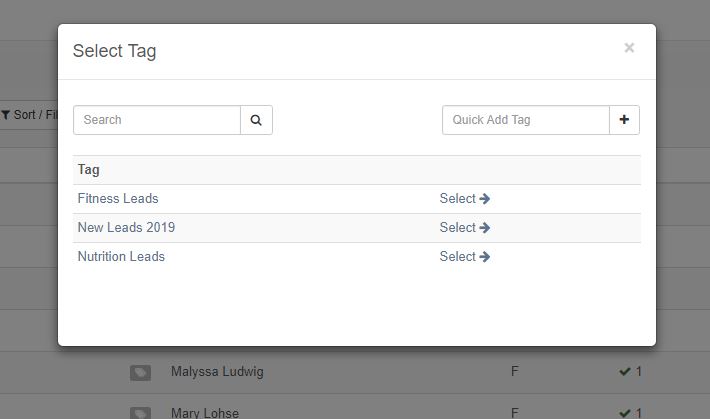
Step 5 - To add a tag to a user, select the tag from your active list, or create a new one using the Quick Add Tag box.