FitHive Updates - Dec 2025
Nov 25, 2025
by Donny M.
This post covers the newest round of FitHive updates and new features.
NEW FEATURES/UPDATES
Rollover Passes - Expiration Setting
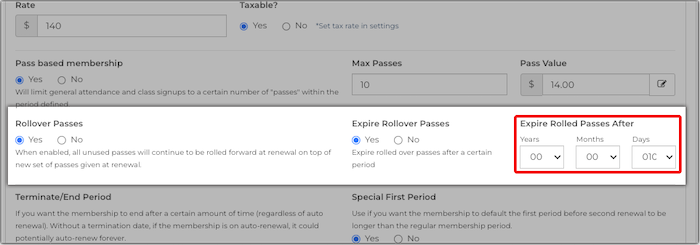
Pass-based memberships now have the option to set an expiration on how long unused/rolled over passes from a previous billing cycle are good for. Please make sure to check out the updated How to Add/Edit Memberships support doc to learn more about this new membership setting.
Automations - Alternate and/or Additional Recipient
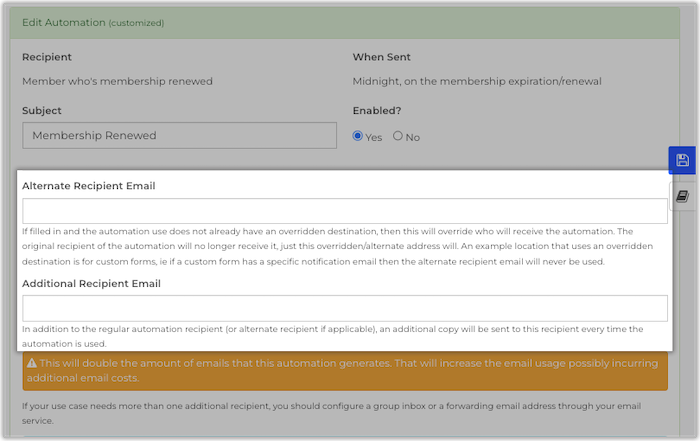
We've added options to add an alternate or additional recipient to any of the email automations available in your Hive, which can be found in your admin dashboard by going to Communicate >> Automate Emails/Texts. Please note that these new setting are only available for email automations. Check out the updated Automations Overview support article for more details.
Tablet App Checkins - Audible Alerts
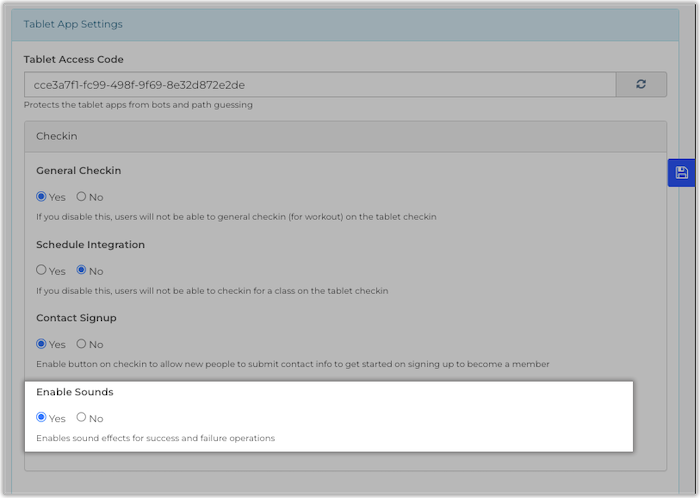
You now have the option to configure the Checkin section of your tablet app to play audible alerts for successful/failed attendance and class checkins. Due to iOS/Safari (mobile version) restrictions these alerts may not be available through certain Apple devices such as iPad and iPhones, so please make sure to review the new Audible Alerts support article for more details. If you're unfamiliar with the option to set up a tablet for checkins, or simply want to learn more, feel free to check out the How to Set Up a Tablet for Class/Gym Checkins support article as well.
Payment Receipt Print/Email
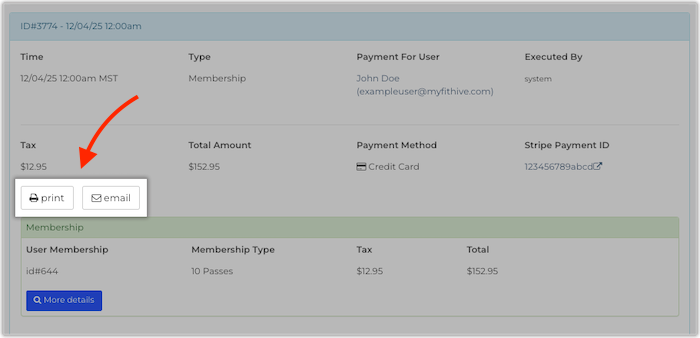
We've added the options for admins to manually print and/or email individual payment receipts as needed. To access this, open up the user's profile in your admin dashboard >> navigate to the Payments tab >> then click on the applicable payment, which will provide you with its full details and the options to print or email the corresponding receipt. You can also check out the updated How to Navigate a User Profile support doc for more info.
New Automations for Missed and Opened Fitness Checkins (Instructor)
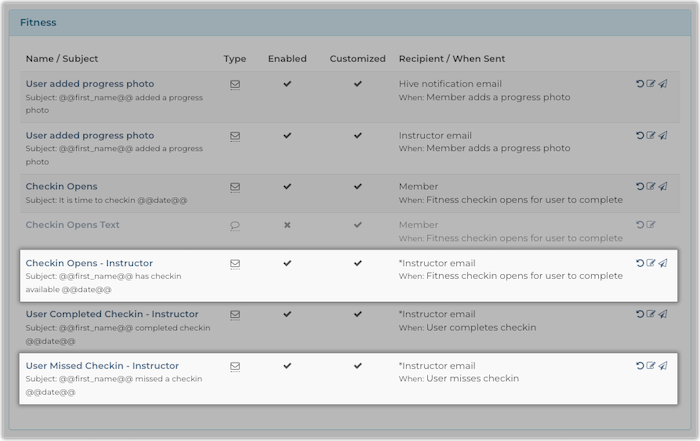
We've added 2 new automations that, if enabled, will send an email notification to instructors when a Client Checkin has opened or missed. These can be accessed from your admin dashboard by going to Communicate >> Automate Emails >> scroll down to the Fitness section, then you'll see options for Checkin Opens - Instructor and User Missed Checkin - Instructor. Please check out the Automations Overview if you're unfamiliar with the available atuomations in your Hive.
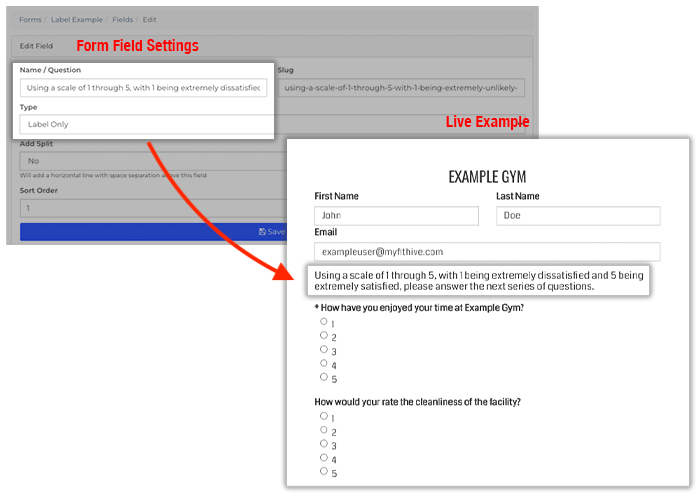
Custom Forms - New Field Type
CURRENTLY IN PRODUCTION
The following new features/updates are currently in QA testing and will be launched next.
Dynamic Scheduling
This major update introduces dynamic scheduling, allowing gym members to book classes or appointments based on real-time instructor availability, services offered, and configurable rules set by the gym. Gym owners can let members book directly with specific trainers (e.g., “Book with me”) or allow the system to automatically assign an available instructor, while preventing conflicts, overbooking, and no-shows with time-limited reservations.
Webpage Version History and Restore
This update improves the reliability of your Hive's webpage editor and adds built-in version history, ensuring page edits are not lost due to tab reloads and allowing admins to restore past versions or deleted pages. You and your team members can safely edit website pages—including the homepage—with auto-recovery of unsaved work, clear version tracking, and easy rollback if mistakes are made.
Class Schedule Counts, Report, and First Highlight
New tracking features for classes that assign sequential numbers to each user’s registrations, check-ins, and cancellations, allowing staff to see whether a class is a user’s first time or how frequently they attend. Admins and instructors can view these counts on class rosters and user profiles, including a new graph showing activity over the last 13 months. This will also add these numbers to class notification automations (user, admin, and instructor).
We truly appreciate your continued feedback/suggestions as we continue to improve our platform and have tons of new features/updates planned. If you have any feature requests of your own, please feel free to submit them in the Feature Request portal. You can also reach out to success@myfithive.com if you have additional questions on any of the new updates or features. As always, thanks for being a part of the FitHive Family!